

- Visit https://account.manomaylifesciences.com/new-dashboard/login/?utm_source=web
- Login to your account.
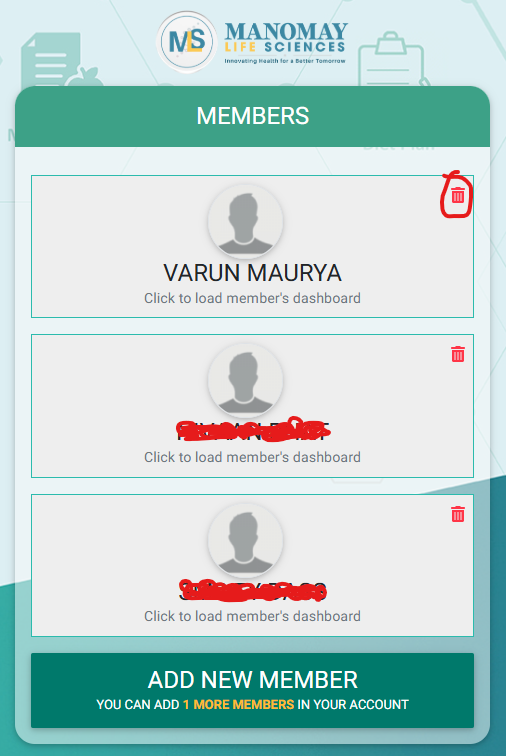
- On “Members List Screen“, Click on “Delete Icon” in front of the “Member Profile” you want to “Delete” (see the below image)
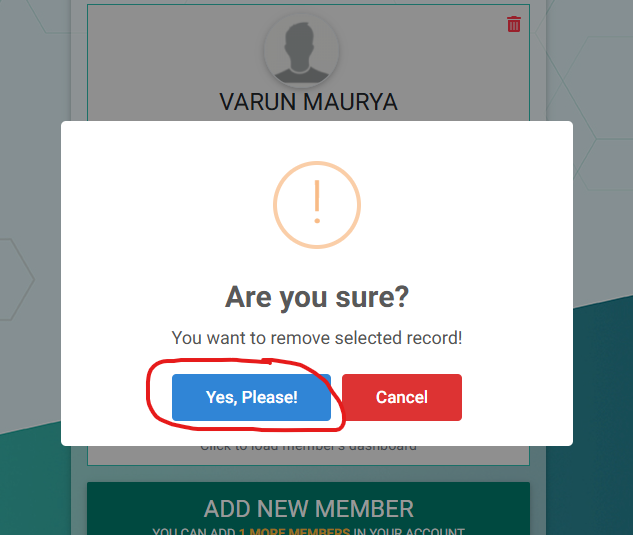
- Click “Yes” button when prompted. (see the below image)
- Selected “Member’s Profile now deleted” from your account